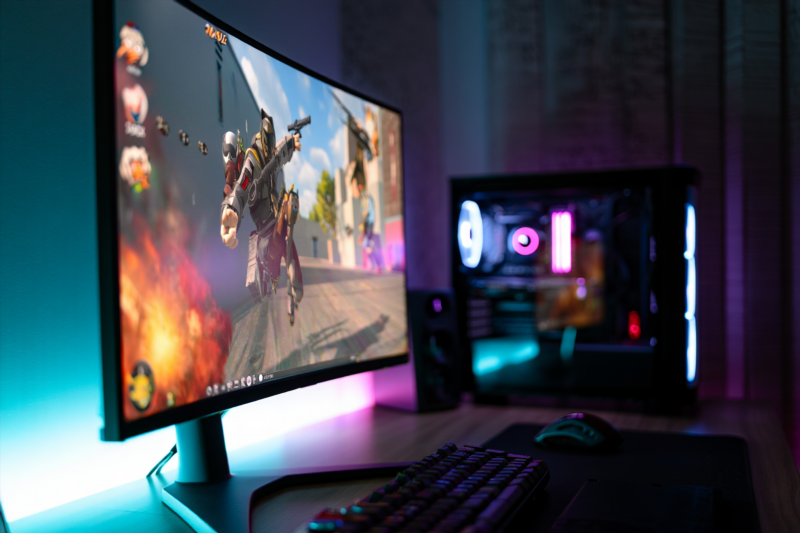
In the rapidly evolving world of esports, streaming has become more than just sharing gameplay—it’s about engaging viewers while maintaining your competitive edge. For pro players and passionate gamers alike, striking the perfect balance between high-quality visuals and optimal in-game performance is essential. This guide provides expert tips so you can stream without losing Elo—ensuring smooth gameplay, crystal-clear visuals, and sustained competitive integrity.
Understanding the Importance of FPS and Clarity in Streaming
Before diving into optimization techniques, it’s critical to understand why FPS (frames per second) and clarity matter:
- FPS (Frames Per Second): Higher FPS translates to smoother gameplay. For fast-paced titles like CS2, Valorant, or Fortnite, a minimum of 144 FPS is recommended to keep motion fluid and responsive.
- Clarity: Sharp visuals improve viewer experience. Clear graphics, reduced compression artifacts, and proper resolution ensure your stream looks professional and engaging.
Achieving the right balance between these enhances your streaming quality without sacrificing your in-game Elo or competitive edge.
Expert Tips to Stream Without Losing Elo: Enhancing FPS and Clarity
1. Optimize Your Hardware Setup
Invest in a Robust Gaming PC and Recording Equipment
- GPU (Graphics Card): Use a powerful GPU (e.g., NVIDIA GeForce RTX 30 series or AMD Radeon RX 6000 series) to handle high FPS and streaming simultaneously.
- CPU (Processor): Opt for multi-core processors (e.g., Intel i7/i9, AMD Ryzen 7/9) to manage game rendering and encoding processes efficiently.
- Memory (RAM): At least 16GB DDR4 RAM ensures smooth multitasking.
- Capture Card: For console or dual-PC setups, high-quality capture cards (like Elgato 4K60 Pro) reduce latency and preserve visual fidelity.
2. Use Efficient Streaming Software Settings
Choose the Right Encoding Settings in OBS Studio or Streamlabs
| Setting | Recommended for High-Performance Streaming |
| Encoder | Hardware (NVENC or QuickSync) for lower CPU load |
| Bitrate | 6000-8000 Kbps for 1080p at 60fps; adjust based on your upload bandwidth |
| Preset | Quality or Max Quality, depending on hardware capability |
| Resolution | 1920×1080 (Full HD); consider 2560×1440 for higher clarity if hardware allows |
| Frame Rate | 144 FPS for fast-paced FPS games; 60 FPS is often sufficient |
Tip: Use hardware encoding (NVENC or QSV), freeing up CPU resources for game performance.
3. Adjust In-Game Graphics Settings
Reduce Graphics Load to Boost FPS Without Sacrificing Visual Clarity
- Lower unnecessary visual effects (e.g., shadows, motion blur)
- Set the resolution scale to 100% for optimal clarity
- Enable in-game FPS limit settings to prevent frame drops
4. Network Optimization for Seamless Stream
Ensure Your Internet Connection Supports High-Quality Streaming
- Upload speeds of at least 15 Mbps for 1080p60 streaming
- Use wired Ethernet instead of Wi-Fi to reduce latency and packet loss
- Limit background data usage during streams
5. Maintain System and Software Hygiene
- Keep graphics drivers and streaming software updated
- Close unnecessary background applications
- Use game mode and performance modes on your operating system
FAQs: Common Questions About Streaming Without Losing Elo
How does high-quality streaming affect my game accuracy?
Properly optimized settings prevent lag and frame drops, which are critical in high-stakes matches. Maintaining high FPS ensures your reflexes aren’t compromised during live gameplay.
Can I stream in high resolution without losing FPS?
Yes, but only if your hardware and internet support it. Prioritize hardware encoding and adjust resolution settings for the best balance.
What’s the best streaming resolution for competitive FPS games?
Typically, 1080p at 60fps or 144fps offers a good mix of clarity and performance. For more detailed visuals, 1440p at 60fps is ideal if your hardware permits.
Achieve Spectacular Streaming Performance and Keep Your Elo Intact
When optimized correctly, your streaming setup can elevate your content, attract more viewers, and maintain your competitive edge in esports titles. By investing in powerful hardware, fine-tuning your streaming software, and maintaining a stable network connection, you ensure smooth gameplay and crystal-clear visuals—all without risking your Elo.
Start implementing these expert tips today and turn your gameplay streams into professional-grade broadcasts that captivate viewers and keep your performance sharp.
Mastering the art of streaming without losing Elo is about balancing technical proficiency with strategic adjustments. Focus on elevating your FPS and visual clarity with hardware upgrades, software configurations, and network stability. With consistent optimization, you’ll enjoy seamless streams that boost your reputation in the esport community while preserving your competitive integrity.
Ready to turbocharge your streaming setup? Explore our recommended gear and software tutorials or contact our esports performance team for personalized advice. Take action now—stream smarter, play better!